
Select Categories
Tickets and Memberships
- Season Tickets 2026/2027
- Direct Debit Management
- Seat Moves 2026-27
- Ticket Forwarding
- Digital Tickets 2026 - 2027
- Ticket Purchases and Management
- BFC Memberships
- Ticket Exchange
- Ticket Office
- Ticket Upgrade
- Away Tickets
- Digital Tickets at Turf Moor
- Ticket Touting
- Match Day Ticket Information
- Visiting Supporters
- Stadium Enhancement FAQs
Hospitality
Accessibility
General Enquiries
Stadium Tours
Clarets Store
My Clarets Account
Season Tickets
Live Streaming
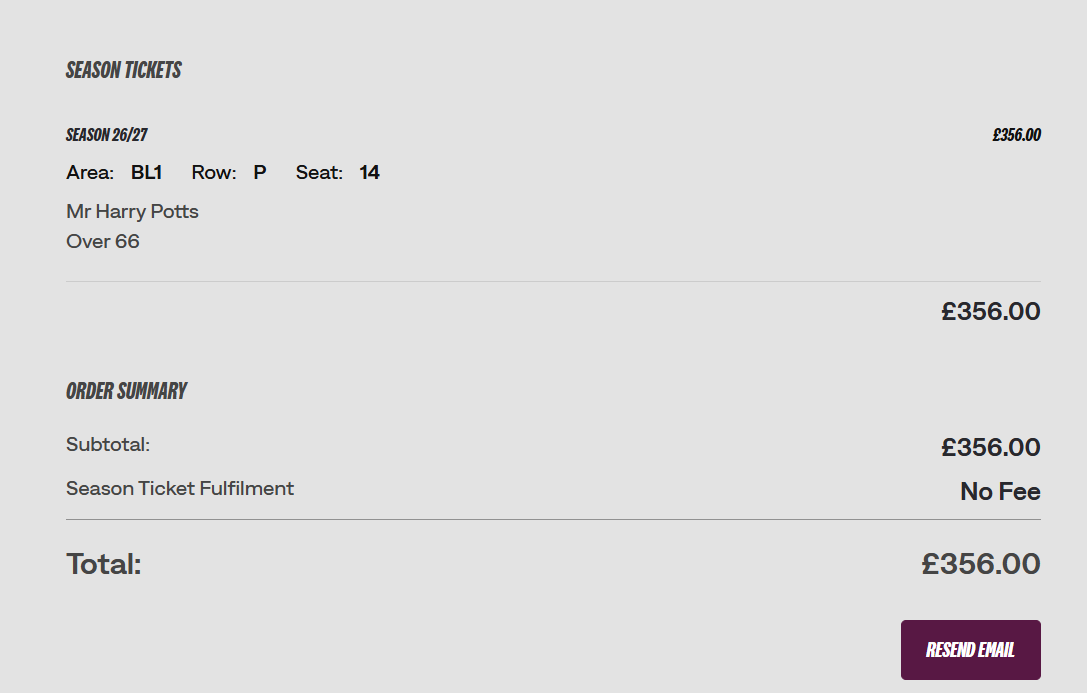
How to view my renewed Season Ticket
Step 1.
Log onto your account here.
Step 2.
Having logged in, click on the account icon and head to your account history by selecting view account menu > account management > account history.
Step 3.
Here you will be able to see all your online, call centre and box office activities. Locate your Season Ticket by the date of purchase/renewal. (You can filter by history type - select purchase history.)
Was this article helpful?
That’s Great!
Thank you for your feedback
Sorry! We couldn't be helpful
Thank you for your feedback
Feedback sent
We appreciate your effort and will try to fix the article
Need further assistance?
Contact us on 01282 446800