
Select Categories
Tickets and Memberships
- Season Tickets 2026/2027
- Direct Debit Management
- Seat Moves 2026-27
- Ticket Forwarding
- Digital Tickets 2026 - 2027
- Ticket Purchases and Management
- BFC Memberships
- Ticket Exchange
- Ticket Office
- Ticket Upgrade
- Away Tickets
- Digital Tickets at Turf Moor
- Ticket Touting
- Match Day Ticket Information
- Visiting Supporters
- Stadium Enhancement FAQs
Hospitality
Accessibility
General Enquiries
Stadium Tours
Clarets Store
My Clarets Account
Season Tickets
Live Streaming
Seat Moves Within Barnfield
Below is a step by step guide on how to complete a seat move.
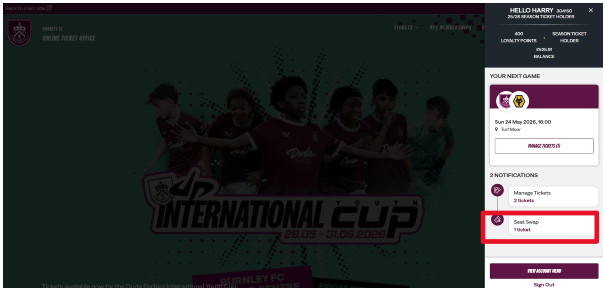
Step 1- Locate the seat move option in your Account Menu. Select Seat Swap - 1 Ticket
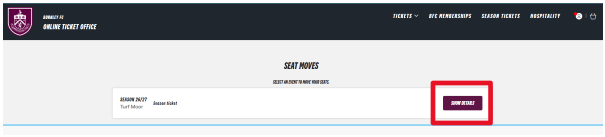
Step 2 - Your season ticket will appear. Select Show Details
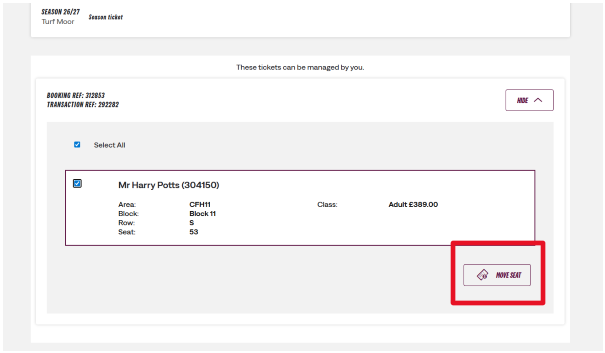
Step 3 - The season ticket that is available to move will now appear. To proceed to seat selection click Move Seat.
Please note: supporters can only action a seat move from their own account. Seat moves can not be actioned by network members.
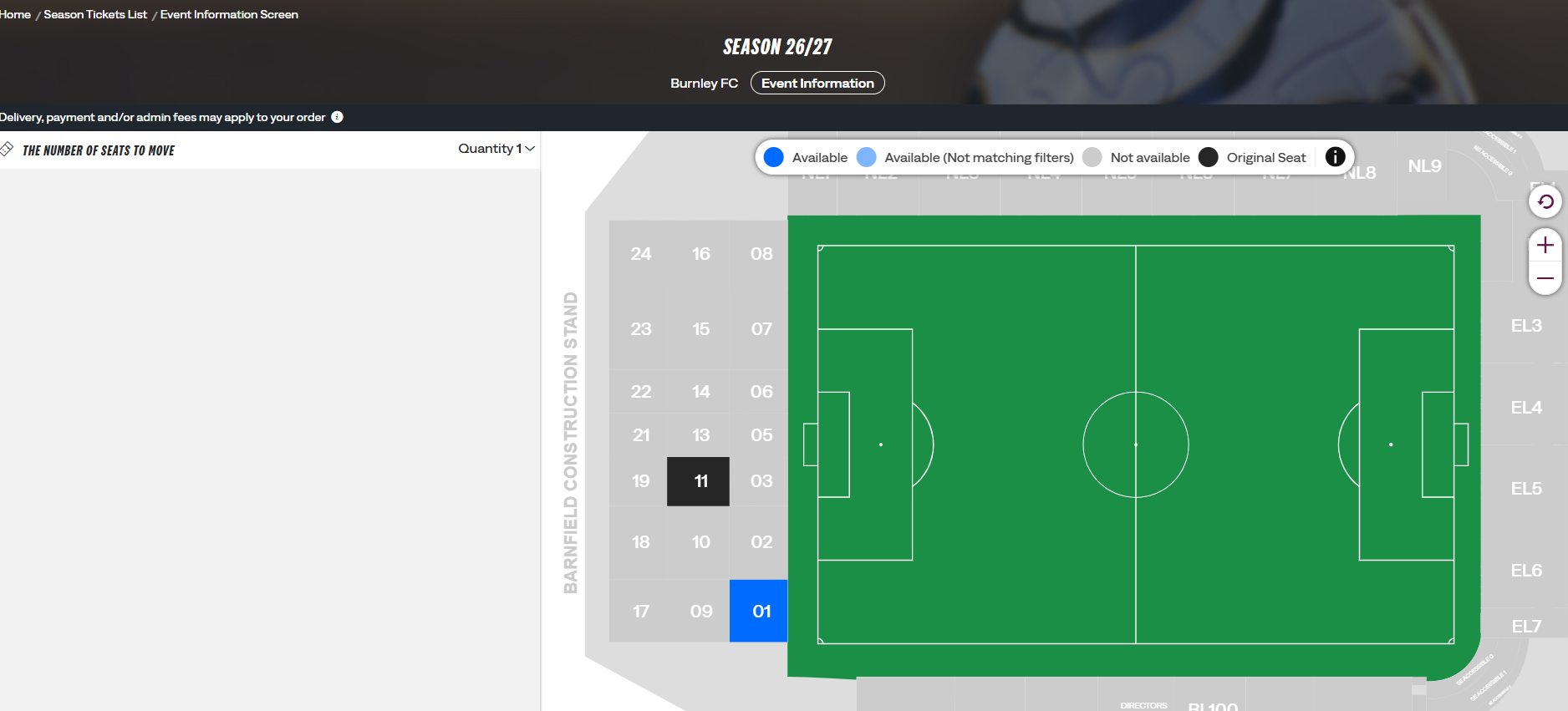
Step 4 - A seat map of Turf Moor will now appear. The black box, as seen below, shows where you are currently located. Blue are areas where moves are possible. Grey denotes areas where seat moves are not possible. Select the block to which you would like to move.
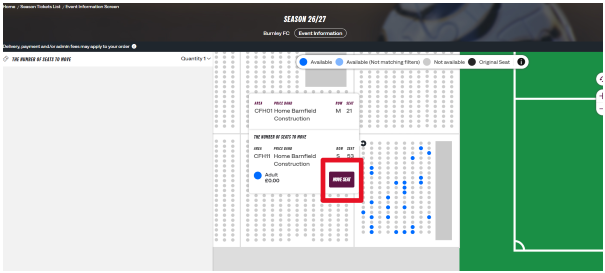
Step 5 - Once a seat has been selected, you will see the page below. If you are happy with the selected seat, proceed to Move Seat. This will add the seat to your basket, which is located at the top left of your screen.
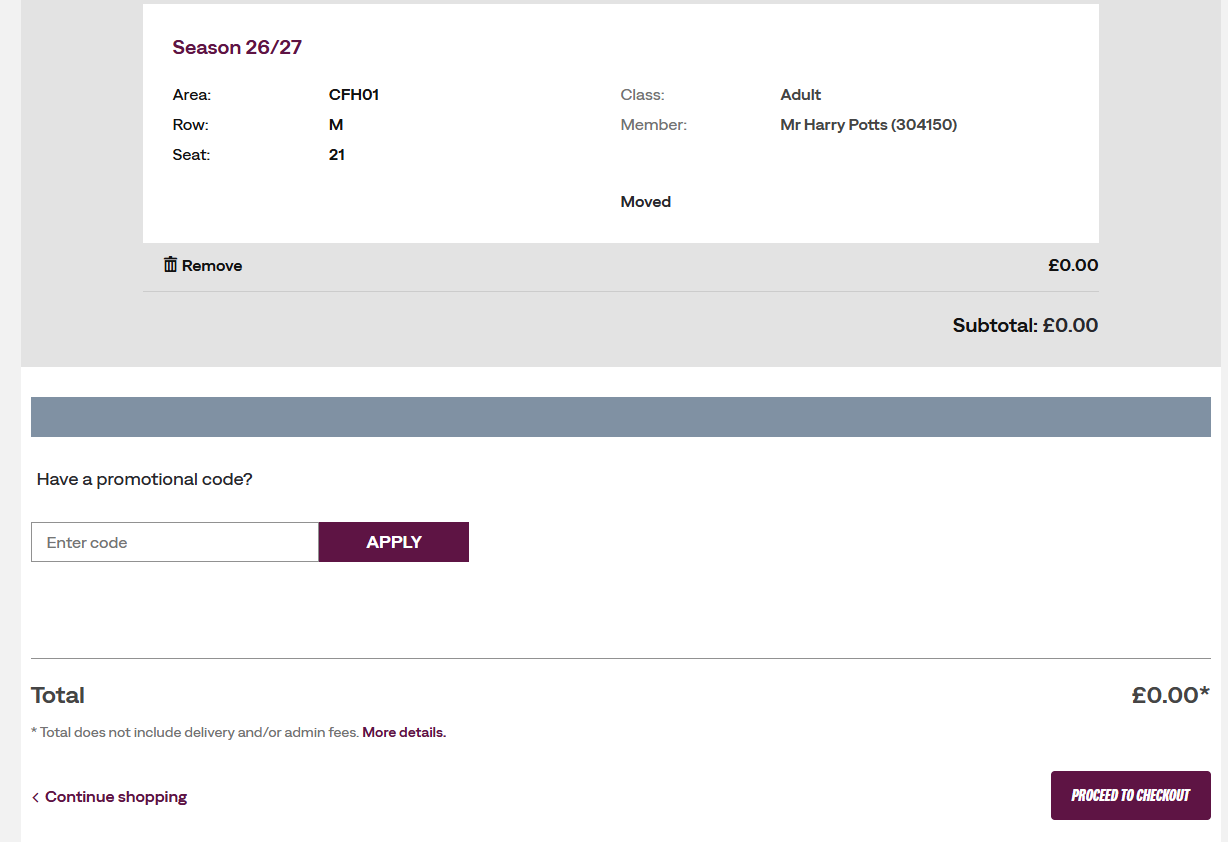
Step 6 - Once in your basket, your order will appear. Please ensure you are happy with the seat selected. If so, select Proceed to Checkout.
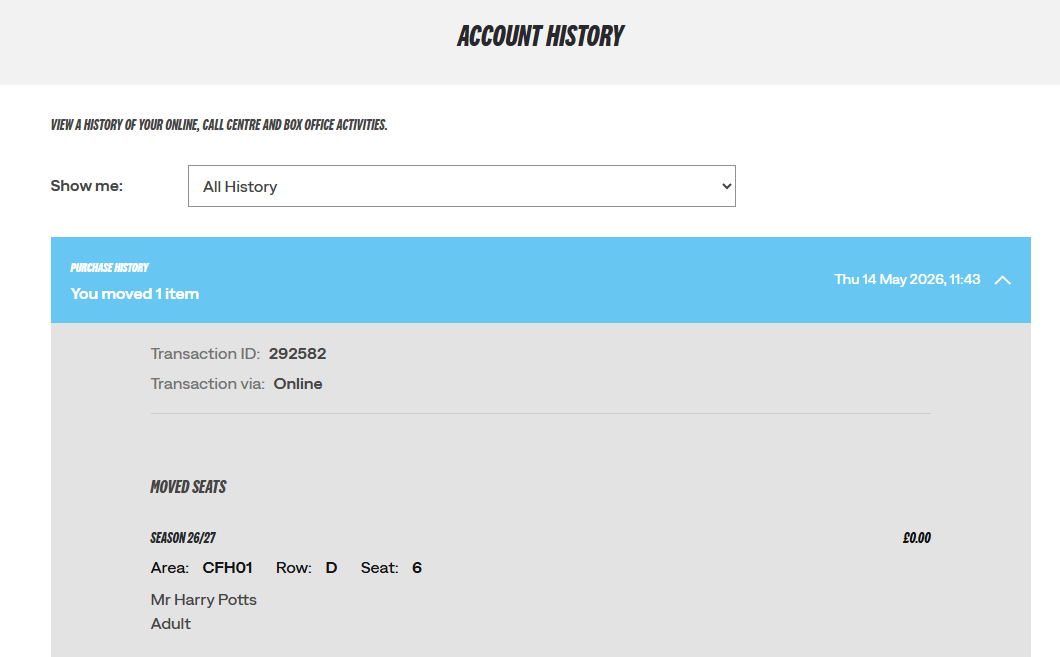
Step 7- Once the order has been reviewed and confirmed you will be able to see your seat move in Account History
Was this article helpful?
That’s Great!
Thank you for your feedback
Sorry! We couldn't be helpful
Thank you for your feedback
Feedback sent
We appreciate your effort and will try to fix the article
Need further assistance?
Contact us on 01282 446800