
Select Categories
Tickets and Memberships
- Season Tickets 2026/2027
- Direct Debit Management
- Seat Moves 2026-27
- Ticket Forwarding
- Digital Tickets 2026 - 2027
- Ticket Purchases and Management
- BFC Memberships
- Ticket Exchange
- Ticket Office
- Ticket Upgrade
- Away Tickets
- Digital Tickets at Turf Moor
- Ticket Touting
- Match Day Ticket Information
- Visiting Supporters
- Stadium Enhancement FAQs
Hospitality
Accessibility
General Enquiries
Stadium Tours
Clarets Store
My Clarets Account
Season Tickets
Live Streaming
How to renew your 2026/27 Season Ticket
How to renew your 2026/27 Season Ticket
Step 1.
To access your renewals page, select the renew now button on the carousel.
Alternatively, you can access the renewals page via your account hub by pressing the account icon and selecting renew now under your notifications.

Step 2.
Having been sent to the Season Ticket renewals page, you will be able to see your Season Tickets, as well as your friends' and family's Season Tickets in your account. Tick the box next for the desired Season Tickets and select add to basket.
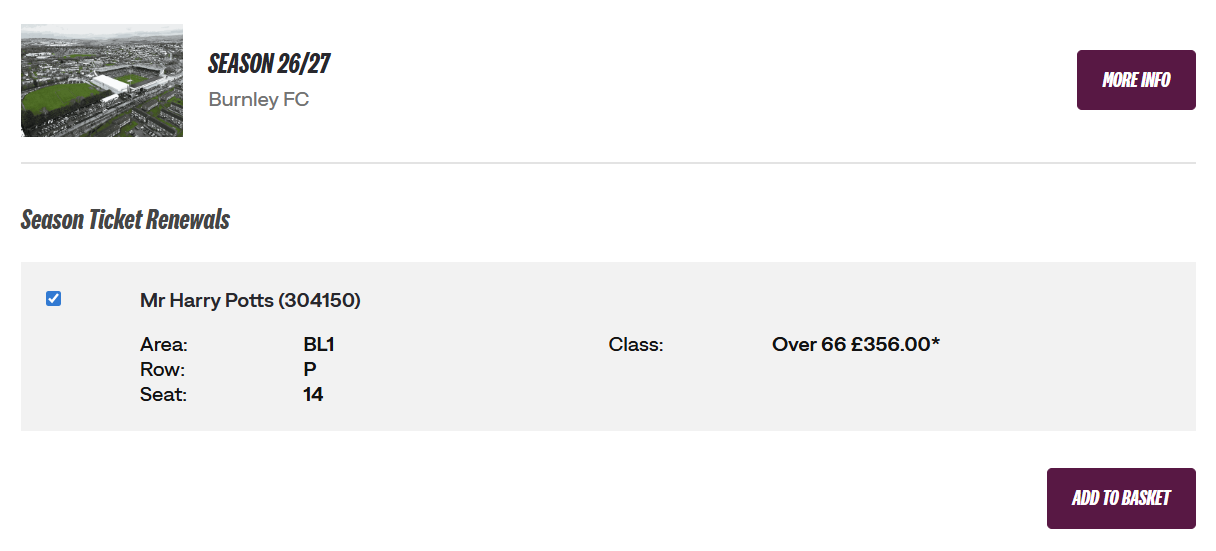
Step 3.
Select a payment method. Here, you have the choice of purchasing your Season Ticket via a single instalment or Direct Debit.
Enter your card details and select review order.
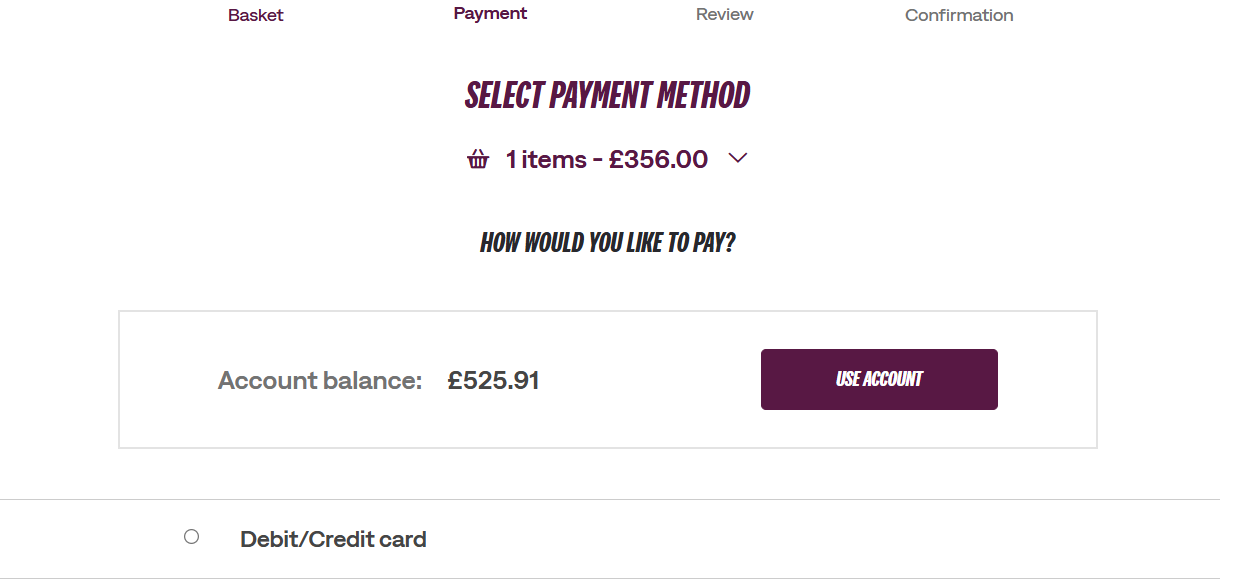
Step 4.
Review your order, read and acknowledge the terms and conditions, and select complete purchase.
Congratulations! You have successfully renewed your Season Ticket for the 2026/27 season.
Was this article helpful?
That’s Great!
Thank you for your feedback
Sorry! We couldn't be helpful
Thank you for your feedback
Feedback sent
We appreciate your effort and will try to fix the article
Need further assistance?
Contact us on 01282 446800