
Select Categories
Tickets and Memberships
- Season Tickets 2026/2027
- Direct Debit Management
- Seat Moves 2026-27
- Ticket Forwarding
- Digital Tickets 2026 - 2027
- Ticket Purchases and Management
- BFC Memberships
- Ticket Exchange
- Ticket Office
- Ticket Upgrade
- Away Tickets
- Digital Tickets at Turf Moor
- Ticket Touting
- Match Day Ticket Information
- Visiting Supporters
- Stadium Enhancement FAQs
Hospitality
Accessibility
General Enquiries
Stadium Tours
Clarets Store
My Clarets Account
Season Tickets
Live Streaming
How to buy reserved tickets for friends and family (Cup games & Friendlies)
For cup games, Season Ticket Holders will be granted the opportunity to reserve their seats.
If you require any assistance please contact the ticket office on 01282 704718
Please note, to reserve tickets for your friends and family, you must be managing their account.
Step 1.
Manage your the friend and family member that you wish to reserve the ticket of.
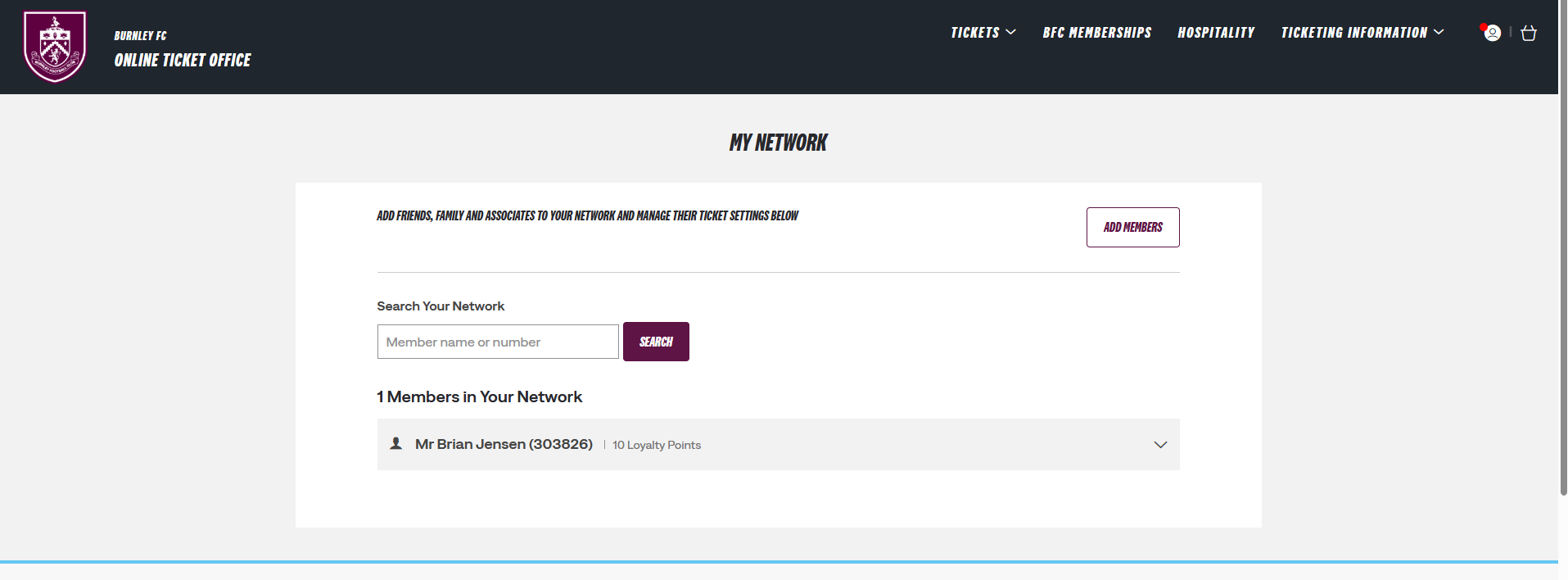
Click view account menu > account management >Claret network. You will see your Friends and Family members.
Step 2.
Click the fan you wish to manage the account of. Click edit next to "Me I can ASSIGN tickets to _____".
Select "I can manage tickets for ____" and send request. The friend and family member will have to accept your manage request.
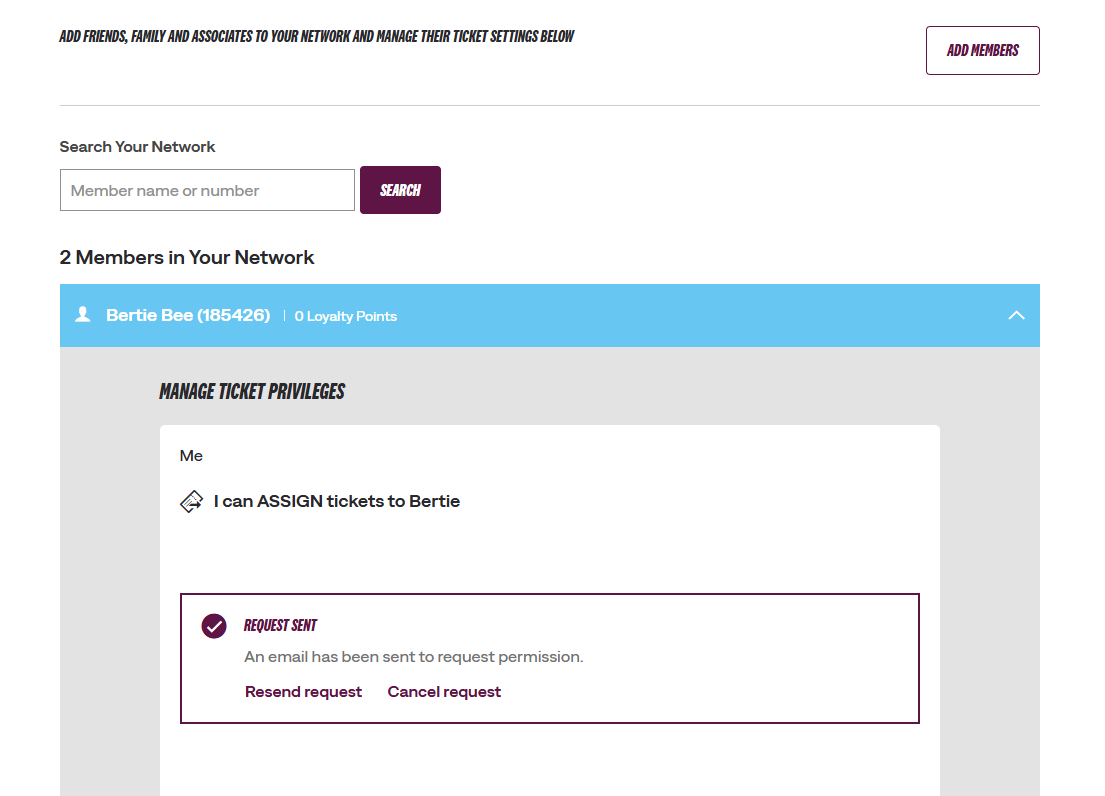
Please note, if your the fan you are trying to manage does not have an email address associated to their fan account (junior/ shared account), please contact our box office.
Step 3.
Click on the account icon to view your personal hub.
Under notifications you will see reserved tickets
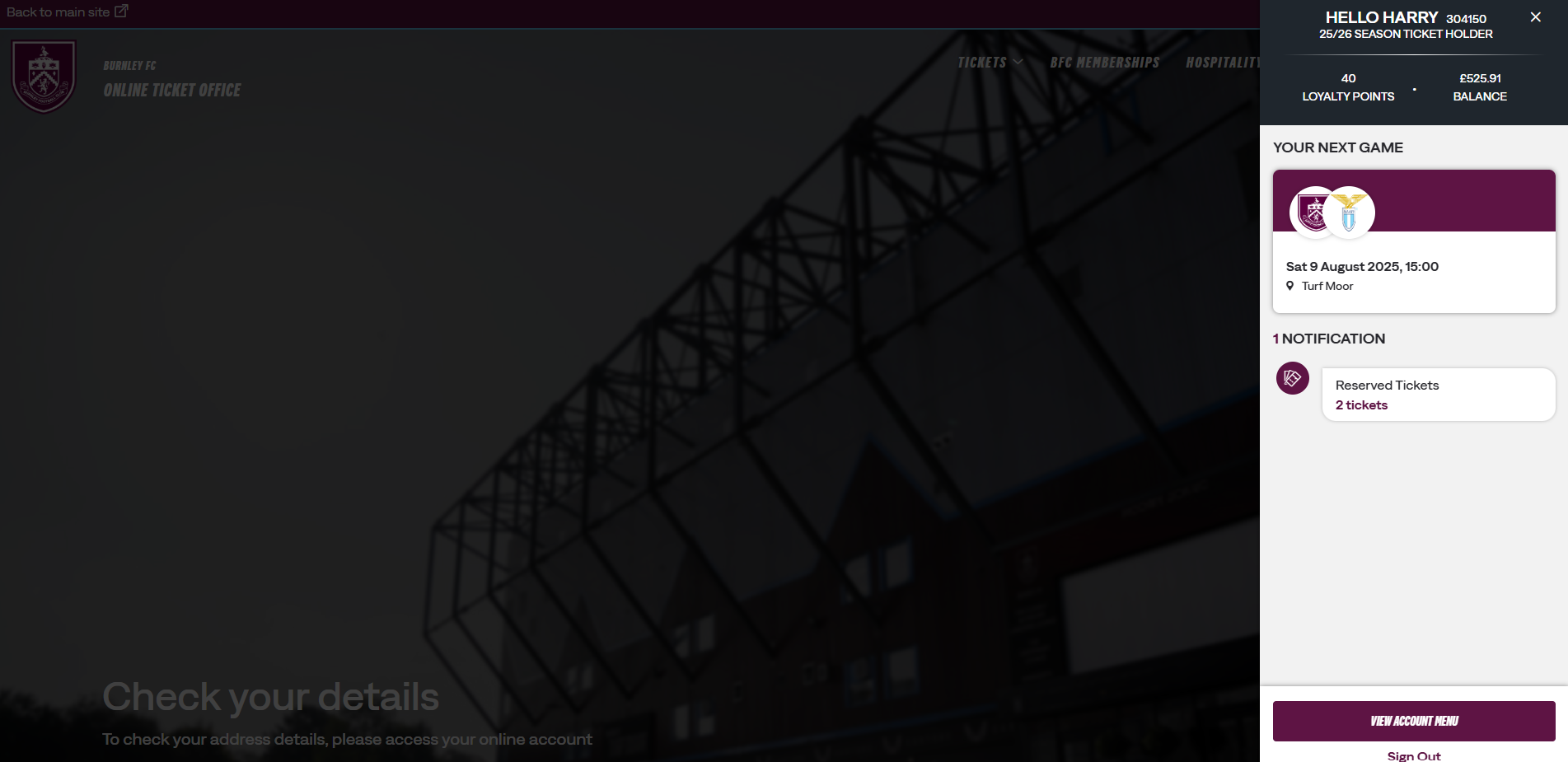
(Alternatively, to view your reserved tickets, click the account icon > view acount menu > ticketing > reserved seats.)
Step 4.
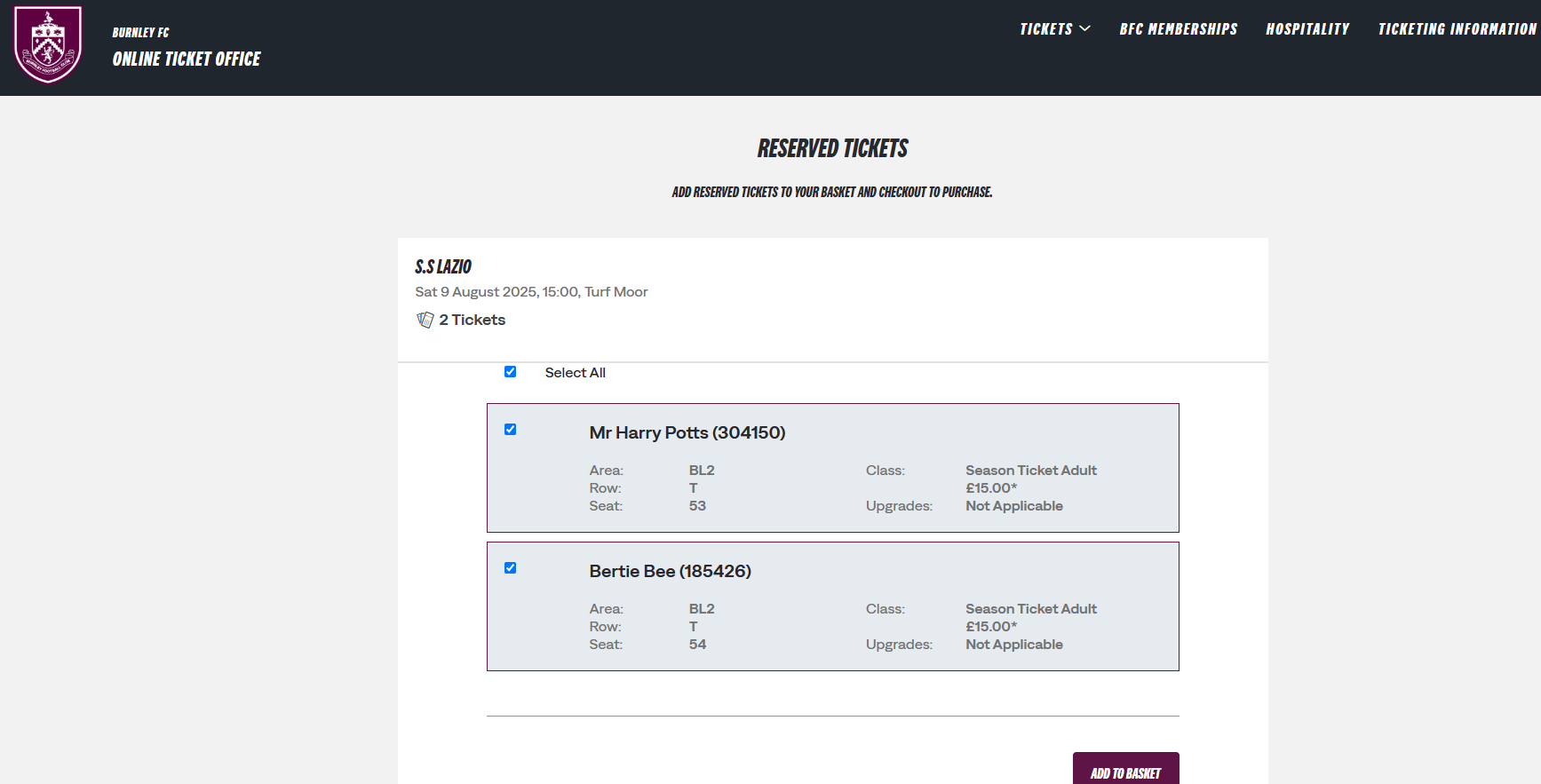
You will see your reserved tickets of both yours and your friends and family.
Was this article helpful?
That’s Great!
Thank you for your feedback
Sorry! We couldn't be helpful
Thank you for your feedback
Feedback sent
We appreciate your effort and will try to fix the article
Need further assistance?
Contact us on 01282 446800