
Select Categories
Tickets and Memberships
- Season Tickets 2026/2027
- Direct Debit Management
- Seat Moves 2026-27
- Ticket Forwarding
- Digital Tickets 2026 - 2027
- Ticket Purchases and Management
- BFC Memberships
- Ticket Exchange
- Ticket Office
- Ticket Upgrade
- Away Tickets
- Digital Tickets at Turf Moor
- Ticket Touting
- Match Day Ticket Information
- Visiting Supporters
- Stadium Enhancement FAQs
Hospitality
Accessibility
General Enquiries
Stadium Tours
Clarets Store
My Clarets Account
Season Tickets
Live Streaming
Upgrade a concession ticket
Steps to Upgrade a Concession Ticket
- Log in online at the Burnley FC Ticketing Account.
- Click your profile icon and open View Account Menu.
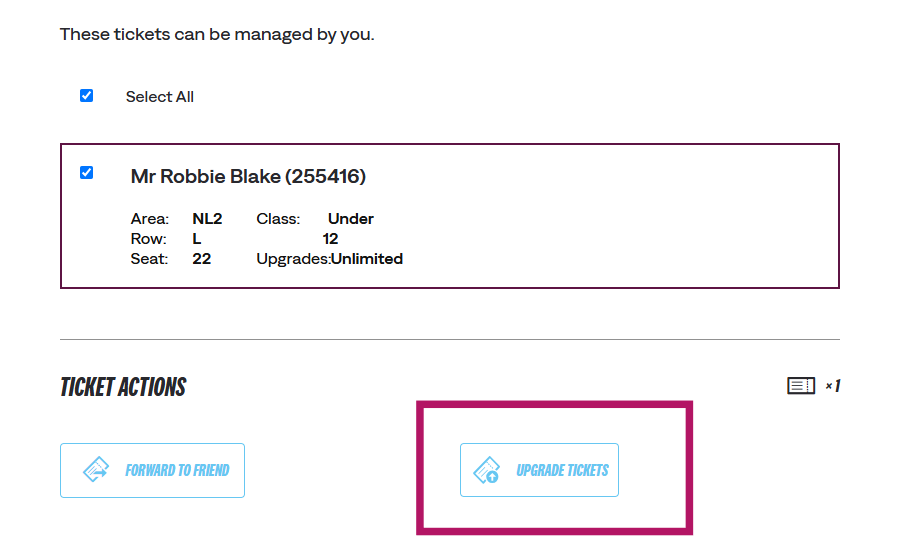
- Go to Ticketing and choose Manage Tickets.
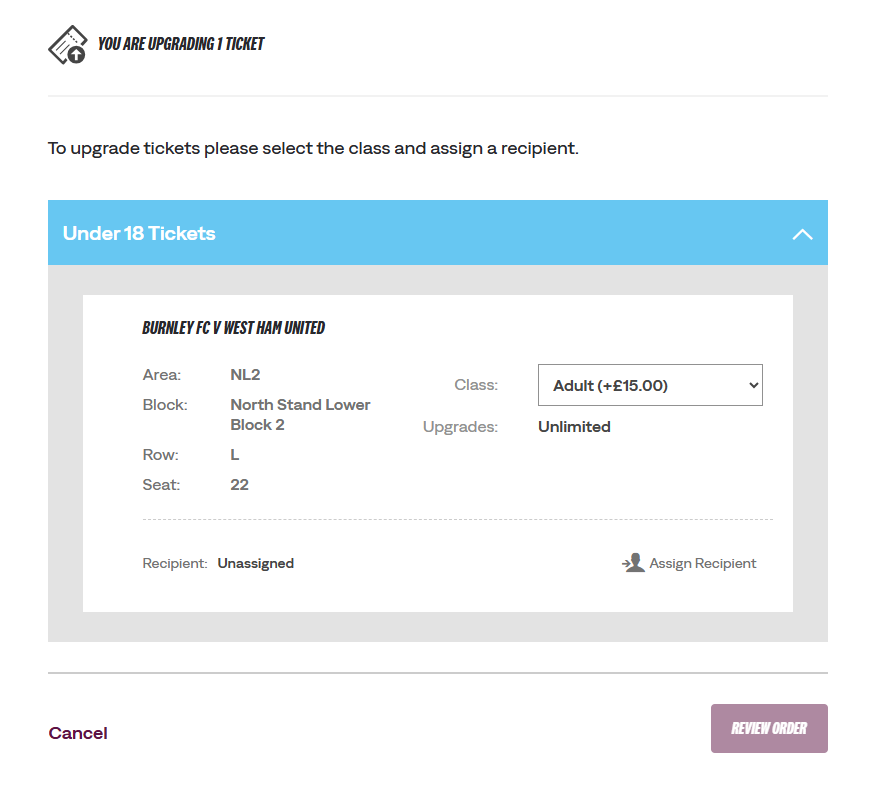
- Select the specific seat and choose Adult as the new price class.
- Click Assign Recipient and pick the person from your Friends & Family Network.
- Complete the checkout process by having the recipient pay the required upgrade fee. [1]
Important Rules
Concession to Adult Only: Online upgrades currently only apply to changing a concession-priced ticket into an adult ticket.
Ticket Forwarding: If you want to pass an existing adult ticket to another fan instead of upgrading, use the Ticket Forward option in your account rather than the upgrade tool
Support: If you run into issues, contact the box office directly by emailing
ticketoffice@burnleyfc.com
If you need help with a different type of upgrade (such as a seat move or hospitality inquiry), let me know the specific details so I can guide you further.
Was this article helpful?
That’s Great!
Thank you for your feedback
Sorry! We couldn't be helpful
Thank you for your feedback
Feedback sent
We appreciate your effort and will try to fix the article
Need further assistance?
Contact us on 01282 446800